Audiolift Hardware & Compliance Manual
This manual covers the installation, connection, and regulatory information for the Audiolift processor hardware: safety and compliance (CE), rear-panel connectors, cabling, network topology, and signal flow. For operating the software, see the Software User Guide.
Safety & Compliance
This chapter contains the safety, installation, and regulatory information for the Audiolift processor. Read it completely before installing, connecting, or operating the unit. Keep this guide for future reference and pass it on to any new operator or owner.
Electrical safety
- Class I equipment — protective earth is mandatory. Connect the unit only to a mains socket outlet with a protective earth (ground) connection. Never defeat the earth pin of the power cord or use an unearthed adapter.
- Mains supply. 100–240 V~, 50/60 Hz. Connect only to a supply that matches the voltage and frequency printed on the rating plate.
- Disconnection. The mains plug is the disconnect device. Keep the mains plug and the socket outlet easily accessible so the unit can be isolated from the mains quickly. In a 19″ rack, if the unit's plug is not accessible, the socket outlet or power distribution unit (PDU) feeding the rack must be, or a readily accessible all-pole disconnect device must be provided in the installation.
- Power cord. Use the supplied cord. Do not route the cord where it can be pinched or walked on.
- No user-serviceable parts inside. Hazardous voltages are present. Never open the unit. Refer all servicing to qualified personnel (see Care & repair).
- Damaged cord. If the cord or plug is damaged, stop using the unit and replace the cord with an equivalent cord that meets national requirements (3 × 1.0 mm² minimum, IEC C13 connector).
- Leakage current. Class I equipment: leakage current flows through the protective earth. Always connect the earth before connecting the mains supply, and never interrupt this conductor.
- Liquids and objects. Do not expose the unit to dripping or splashing. Do not place liquids or objects on top of it.
Intended use & operating environment
The Audiolift processor is designed for indoor, professional audio use (fixed installations and touring), mounted in a 19″ rack (half-rack, 2U, with the supplied rack ears) or placed on a table. Any other use is outside the intended scope.
| Location | Indoor use only, dry location |
|---|---|
| Operating temperature | 0 °C to +50 °C (32 °F to 122 °F) |
| Max. altitude | 2000 m (6500 ft) |
Sound level
- Turn the amplifier level down before a calibration or a configuration change, then bring it up gradually.
- Do not stay close to the loudspeakers while test signals are playing.
- Comply with local regulations on sound levels and exposure times (in France: decree no. 2017-1244 on venues playing amplified sound).
Ventilation & rack mounting
- The unit cools front → back. Do not block the front dust filter or the rear vents.
- Leave the rear airflow path clear. Do not install the unit in a sealed enclosure without through-ventilation.
- Do not install directly above heat-generating equipment (amplifiers, power supplies) without ventilation spacing.
- Keep the front dust filter clean so airflow and fan noise stay within specification.
- Support the full weight of the unit when rack-mounting; use only the rack ears and accessories supplied by Audiolift.
Rating plate
The regulatory markings (model, serial number, mains ratings, CE marking, WEEE symbol, and manufacturer identification) are printed on the rating plate on the rear panel.
Symbols
The following symbols may appear on the unit, the rating plate, or in this guide:
 |
CE marking — conformity with the applicable EU directives. |
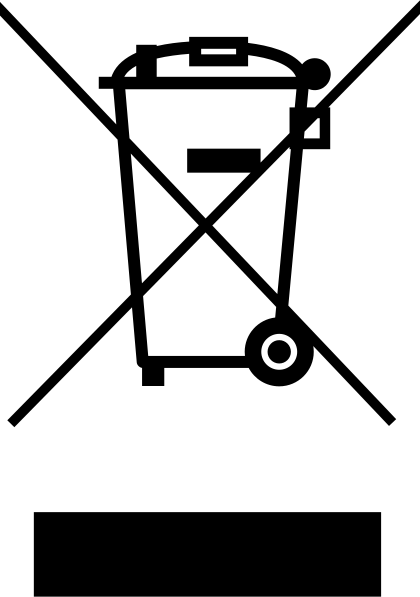 |
WEEE (crossed-out wheeled bin) — do not dispose of with household waste. |
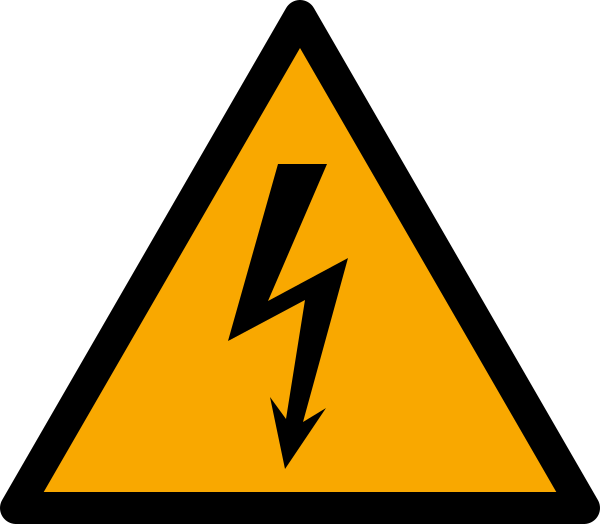 |
Caution, risk of electric shock — hazardous voltage inside. |
 |
Consult the manual — important operating and safety instructions. |
| Indoor use only — do not expose to rain or moisture. | |
| Alternating current (AC) — mains supply type. |
Scope of supply
Before putting the unit into service, check that the delivery is complete and in good condition. If the unit or the power cord shows any visible damage, do not use it and contact your dealer.
| Qty | Item |
|---|---|
| 1 | Audiolift Immersive Processor (AIP) |
| 1 | Mains power cord (IEC C13 connector) |
| 1 | Short rack ear |
| 1 | Long rack ear |
The joining plate needed to mount two processors side by side (dual engine) is sold separately as a kit.
Handling & weight
- Do not lift the unit by its connectors or by the front panel.
- Make sure the rack can carry the total load of its equipment and remains stable.
- In a closed rack, the internal temperature can exceed room temperature: stay within the operating range.
- Distribute the rack's mains load so the supply circuit is not overloaded.
Care, cleaning & repair
- Cleaning. Unplug the power cord. Wipe the chassis with a dry or slightly damp cloth; do not use solvents, sprays, or abrasives.
- Front dust filter. Check it regularly and clean it; replace it if it is deformed or clogged. To replace it, unplug the power cord, then unscrew the access hatch located under the front panel.
- Repair. Any internal work is reserved for qualified personnel authorized by Audiolift. Unauthorized work voids the warranty and may void conformity.
- Incident. In case of liquid spillage, a drop, smoke, a burning smell, or abnormal noise, first unplug the power cord, then contact Audiolift support.
Storage & transport
- Store and transport the unit in its original packaging, protected from moisture.
- Storage range: −20 °C to +70 °C; relative humidity, non-condensing: 15 % to 90 %.
- After cold storage, let the unit return to room temperature before switching it on (condensation).
Technical specifications
Audio & processing
| Inputs / outputs | 32 / 32 |
|---|---|
| Latency | 4.7 ms (Dante input → Dante output) |
| Sample rates | 48 kHz · 96 kHz |
| Resolution | 24-bit |
| Audio networking | Dante (redundant Primary / Secondary) |
| Audio features | Comprehensive routing, calibration EQ, test signals, upmix controls, snapshots |
Connectivity & control
| Network ports | 3 × EtherCON: Dante Primary, Dante Secondary, CONTROL |
|---|---|
| Audio expansion | USB-C and USB3 for class-compliant audio interfaces |
| Local control | Web interface |
| External control | MIDI Learn and OSC |
| Remote access | Audiolift Connect included |
Power & mechanical
| Mains supply | 100–240 V~, 50/60 Hz |
|---|---|
| Power consumption (max.) | 300 W |
| Internal protection | Provided by the power supply unit; no user-accessible fuse |
| Protection class | Class I (protective earth) |
| Ingress protection | IP20 (IEC 60529) |
| Dimensions (W × H × D) | 19″ half-rack, 2 U · 220 × 88 × 308 mm |
| Weight | 6 kg |
| Operating humidity | 10 % to 85 % RH, non-condensing |
| Cooling | Forced-air ventilation, front → back |
Electromagnetic compatibility (EMC)
- Network cabling. Use shielded CAT5e U/FTP (or higher) straight-through cables on every Ethernet port (CONTROL, Dante Primary, Dante Secondary), 100 m maximum per segment. Any unshielded signal cable must be 3 m long at most.
- Do not modify the unit. Opening or modifying the unit, or adding non-approved accessories, can void EMC conformity.
Applicable directives & standards
The Audiolift processor is designed to comply with the following EU directives. The harmonized standards applied, and their versions, are listed in the EU Declaration of Conformity.
| Directive | Scope |
|---|---|
| EMC Directive 2014/30/EU | Electromagnetic compatibility (emissions & immunity). |
| Low Voltage Directive 2014/35/EU | Electrical safety of mains-powered equipment. |
| RoHS Directive 2011/65/EU (incl. (EU) 2015/863) | Restriction of hazardous substances. |
| WEEE Directive 2012/19/EU | Waste electrical & electronic equipment (marking & disposal). |
EU Declaration of Conformity
An EU Declaration of Conformity (DoC) is drawn up for this product. It identifies the manufacturer, the product, the directives above, and the harmonized standards applied.
| Manufacturer | Audiolift SAS, 1 rue de la Noe, 44300 Nantes, France · contact@audiolift.com |
|---|---|
| Product | Audiolift Immersive Processor (AIP) |
| Country of manufacture | Made in France |
| Availability | The DoC is available on request and/or supplied with the product documentation package. |
Disposal (WEEE) & substances (RoHS)
Do not dispose of this product with household waste. The crossed-out wheeled-bin symbol indicates that, at end of life, the unit must be collected separately in accordance with the WEEE Directive. Hand it to an approved collection point or return it to the point of sale. Correct disposal helps prevent harm to the environment and human health.
The unit contains a lithium coin cell. It is removed and collected separately when the unit is treated at end of life; do not dispose of it with household waste.
Trademarks: Dante is a registered trademark of Audinate Pty Ltd; EtherCON is a registered trademark of Neutrik AG.
The product is designed to comply with the RoHS Directive, restricting the use of certain hazardous substances in electrical and electronic equipment.
Open-source software
The Audiolift processor includes open-source software components (including the Linux kernel, Ubuntu, and JACK), distributed under their own licenses (GPL, LGPL, and others). The list of these components and the text of their licenses are available on request at contact@audiolift.com.
As required by the GPL and LGPL licenses, Audiolift will provide on request, for at least three years after the last shipment of the product, a copy of the corresponding source code of these components. Send your request to contact@audiolift.com.
System & Connections
This chapter shows how the processor connects to your system before you open the interface. For the EMC cabling requirements that go with these connections, see EMC (Class A).
3D view of the processor
Scale schematic model (220 × 88 × 308 mm). Drag to rotate, use the mouse wheel to zoom, and click the front-panel button to switch the unit on. The side panel lets you show dimensions, rack ears, 19″ rails, and a side-by-side assembly of two processors.
Front panel
Power button
The round button on the right of the front panel switches the processor on and off.
- Switching on. Press the button once. Start-up takes about one minute; wait until it has finished before using the interface.
- Switching off. Press the button. The unit shuts down cleanly in about ten seconds; never switch it off by pulling the power cord while it is running.
- Status indication. Button lit: the unit is powered and running.
Rear panel
The rear panel carries the mains inlet, the three network connectors, and the USB3 / USB-C ports, which are directly accessible. These ports can also host an external sound card.
- Mains inlet — earthed IEC mains input; the mains plug serves as the disconnect device (no power switch).
- CONTROL (EtherCON) — management / user-interface network.
- Dante Primary (EtherCON) — digital audio, main network.
- Dante Secondary (EtherCON) — digital audio, redundant network.
- USB ports (SERVICE area) — USB3 and USB-C, directly accessible on the rear panel.
- Ventilation — air vent grille and fan; do not obstruct them.
- Serial label — location of the rating plate. The QR code on the back of the label opens the product documentation: audiolift.com/docs/aip.
Connectors & cables
The three network ports use locking Neutrik EtherCON connectors; use shielded CAT5e U/FTP (or higher) straight-through cables. Mains uses a standard IEC inlet. The USB ports (SERVICE area) are used for service operations by authorized service providers or to connect an external sound card.
RJ45 pinout (EtherCON)
All three network ports use the same pinout: straight-through cable with T568B colour coding at both ends.
| Pin | Colour | Signal |
|---|---|---|
| 1 | White / orange | TP1+ |
| 2 | Orange | TP1- |
| 3 | White / green | TP2+ |
| 4 | Blue | TP3- |
| 5 | White / blue | TP3+ |
| 6 | Green | TP2- |
| 7 | White / brown | TP4+ |
| 8 | Brown | TP4- |
Network topology
Connect the CONTROL port to the same network as the Windows PC running Audiolift Controller. Connect the Dante ports to your Dante audio network. Keep control and audio on clearly identified cabling.
audiolift-<serial>.local. If no DHCP server is present, it falls
back to an automatic address (169.254.x.x) so you can still connect.
Using an external sound card
The Audiolift immersive processor is compatible with USB class-compliant sound cards (no dedicated driver), connected to a USB3 or USB-C port on the rear panel. This compatibility is provided without any guarantee of operation: validate the chosen sound card before installation. Use only USB cables shorter than 3 m.
Audio signal flow
Understanding the path from input to loudspeaker makes every page easier. Inputs can feed the upmix engine (Upmix Send), be sent to individual loudspeakers (Speakers Send), or bypass straight to the outputs (Direct Out).
Rack mounting
The processor occupies a 2 U 19″ half-rack (220 × 88 × 308 mm). Two supplied rack ears fix it to the rack rails: a short ear and a long ear. For redundant operation (dual engine), two processors are mounted side by side, joined by a joining plate.
Parts and screws
| Item | 1 processor | 2 processors |
|---|---|---|
| Short ear | 1 | 2, one on each outer side |
| Long ear | 1 | — |
| Joining plate | — | 1, under both processors (separate kit) |
| Ear fixing screws | 2 per ear | 2 per ear |
| Joining plate screws | — | 4 (supplied with the kit) |
The rack rails are 450.8 mm apart (19″ standard); the holes in the ears match the rail holes. The rack screws depend on your rack.
Mounting one processor
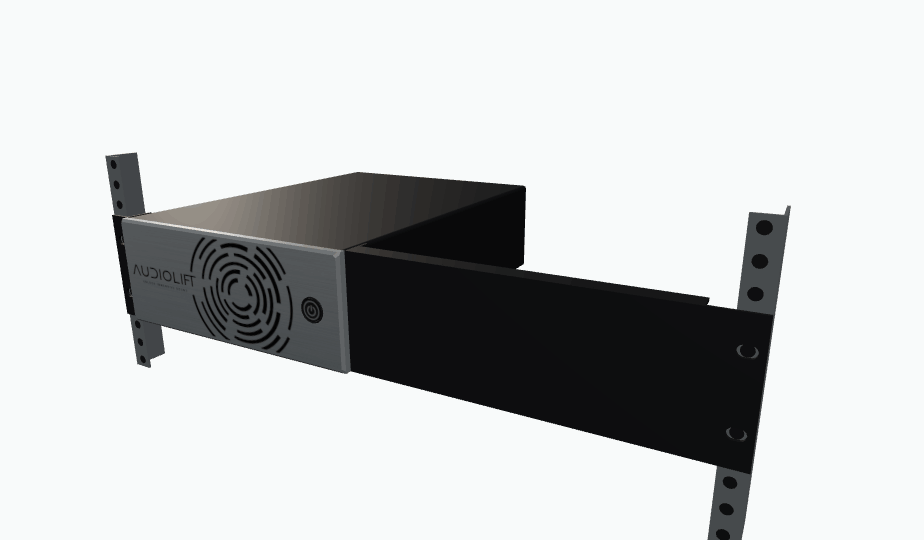
- Short ear. Place the ear against one side of the cover, with its flat flange facing outwards and aligned behind the front panel. Fix it with its two screws, one at the top and one at the bottom of the side.
- Long ear, on the opposite side. Place it in the same way, with the top and bottom folds pointing to the rear. Fix it with its two screws, vertically aligned. It extends the unit to the rail. The ears are reversible: the short one can be on the right or the left, with the long one on the opposite side.
- Placing in the rack. Present the processor with the front panel flush with the rails, supporting its weight.
- Fixing. Fix each ear to its rail through the slots in the flange, two screws per side.
- Connection. Connect the cables at the rear, keeping the ventilation clear (see EMC for cabling).
Mounting two processors (dual engine)
In a redundant configuration, two identical processors are mounted side by side in the same rack. Each keeps its own power cord and its own CONTROL and Dante connections.
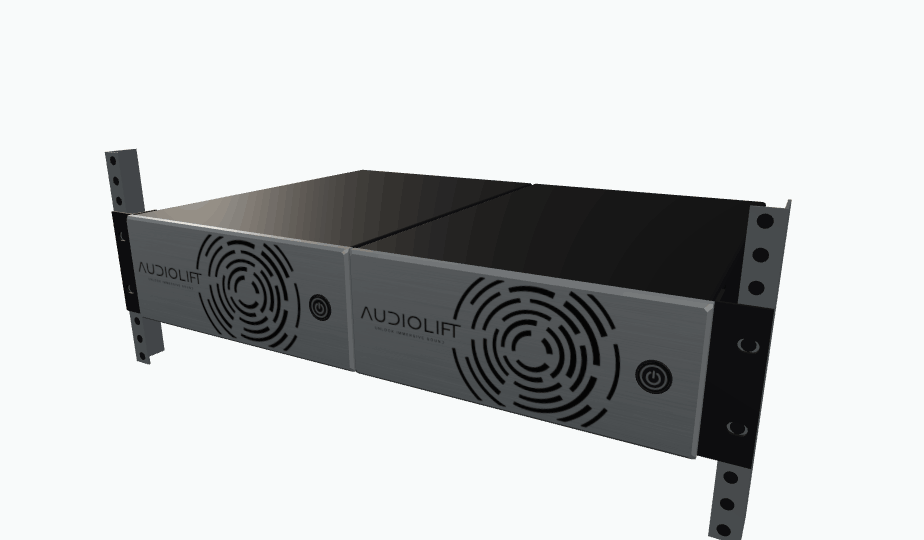
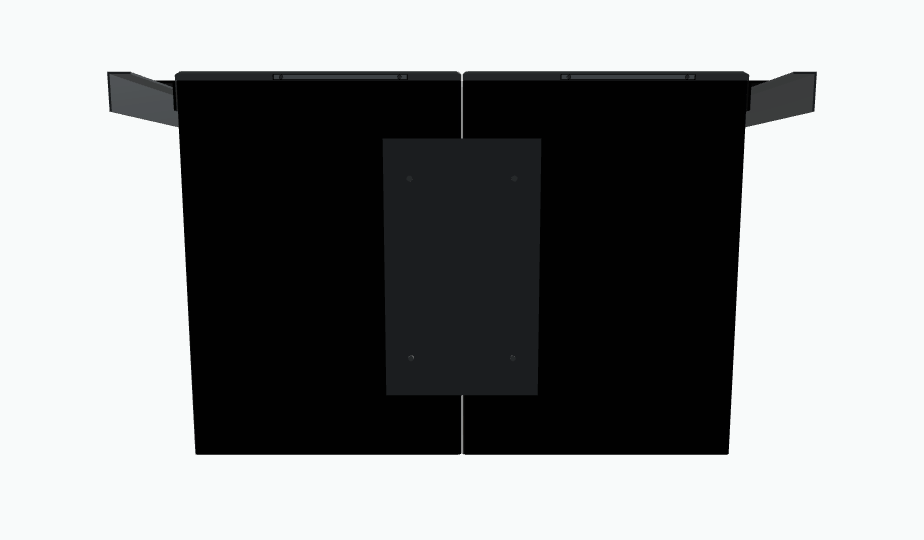
- Alignment. Place the two processors side by side on a flat surface, with their front panels aligned.
- Joining plate. Place the plate under both processors, centred on the joint in both width and depth. It is about 20 cm long and does not protrude on any side. Fix it with its four screws.
- Short ears. Fix a short ear to the outer side of each processor, each with its two screws (top and bottom).
- Placing and fixing. Mount the assembly in the rack, with the front panels flush with the rails, then fix each ear to its rail.
- Connection. Power each processor separately, preferably from separate mains circuits, and connect each one to your CONTROL and Dante networks.
Dust filter maintenance
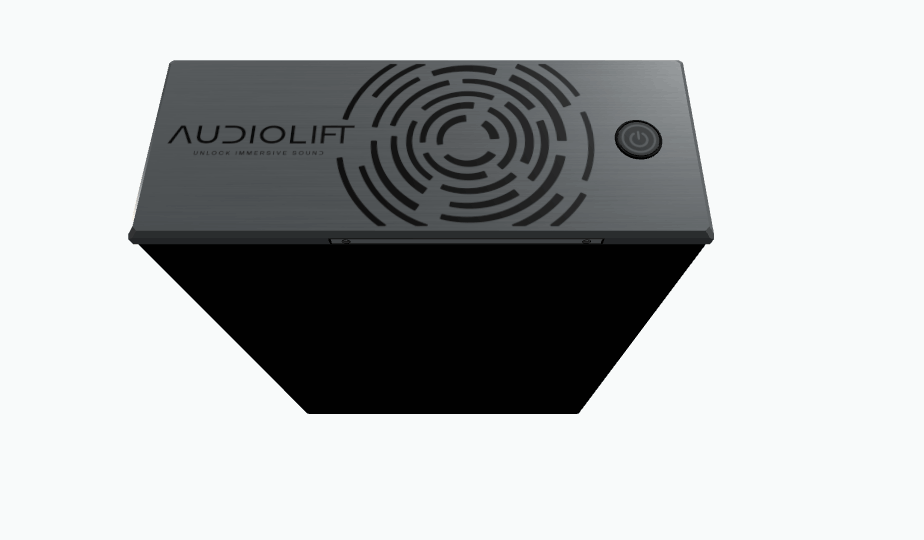
The dust filter protects the front-panel air intake. It is a black reticulated polyurethane foam, 30 PPI, 5 mm thick. It is accessed through the hatch under the front panel, without dismantling the unit or removing it from the rack.
| Material | Reticulated polyurethane foam, black |
|---|---|
| Porosity | 30 PPI |
| Thickness | 5 mm |
| Access | Hatch under the front panel, two screws |
Inspection interval
Check the filter at every service visit to the installation, and at least once a year. Check more often in dusty environments (stage, bar, club, fog machine). A clogged filter reduces airflow and raises the temperature and the fan noise.
Access, cleaning and replacement
- Power off. Switch the processor off with the front-panel button, then unplug the power cord.
- Opening the hatch. Undo the two hatch screws under the front panel, then remove the hatch.
- Removing the filter. Take the foam out of its housing without tearing it.
- Inspection. Replace the foam if it is deformed, torn, or clogged.
- Cleaning. Remove the dust from the foam with compressed air or by tapping it, dirty side facing outwards. If it is greasy, rinse it in lukewarm water and let it dry completely before refitting it.
- Refitting. Put the dry foam back in its housing, flat, without compressing it or leaving gaps at the edges.
- Closing. Refit the hatch and tighten the two screws, without forcing.
- Power on. Plug the power cord back in, then switch the unit on.